Every wallet in this guide speaks the same Monero protocol. Ring signatures, stealth addresses and confidential amounts are not features a developer turns on; they happen for every XMR transaction no matter which app sends it. So the question of the best Monero wallet is really a question about everything around the protocol: how the app connects to the network, how much control it gives you over your outputs, where it runs, and whether its design helps you avoid mistakes.
We publish Best Wallet, and we recommend it. We also think you deserve a straight account of the alternatives, so this guide covers Feather Wallet, the Monero GUI and Cake Wallet with their real strengths, and points to each project’s own source and documentation.
The shortlist

Best Wallet
Windows, macOS, Linux desktop; Android app
Our pick for a clear XMR workspace with Tor, in-app swaps and advanced desktop controls. Also available on Android, with a separate feature set.

Feather Wallet
Windows, macOS, Linux desktop
A lightweight, open-source desktop wallet with Tor, coin control and a compact, traditional interface.

Monero GUI
Windows, macOS, Linux desktop
The Monero project’s desktop wallet, with simple and advanced modes and the option to run a local node from the app.

Cake Wallet
Android, iOS, plus desktop releases
An open-source, multi-currency wallet with Monero support, mobile and desktop releases, and third-party exchange integrations.
What actually separates Monero wallets
Because the privacy layer is shared, the differences show up in five places. Network routing decides who can see that your IP address is talking to a Monero node. Node choice decides whose copy of the blockchain your wallet trusts and how long the first sync takes. Output control decides whether you can choose which received funds go into a payment, which matters if you want to keep money from separate sources apart. Platform decides whether the app lives on a laptop or a phone. And workflow decides how many steps, screens and outside services stand between you and a finished transfer.
None of those has a universal right answer. Someone storing savings on an offline-minded desktop has different needs from someone paying a friend from a phone on the bus. We weighed each wallet against those five points using its public documentation, and we noted where we could not confirm a detail instead of guessing.
Why we recommend Best Wallet
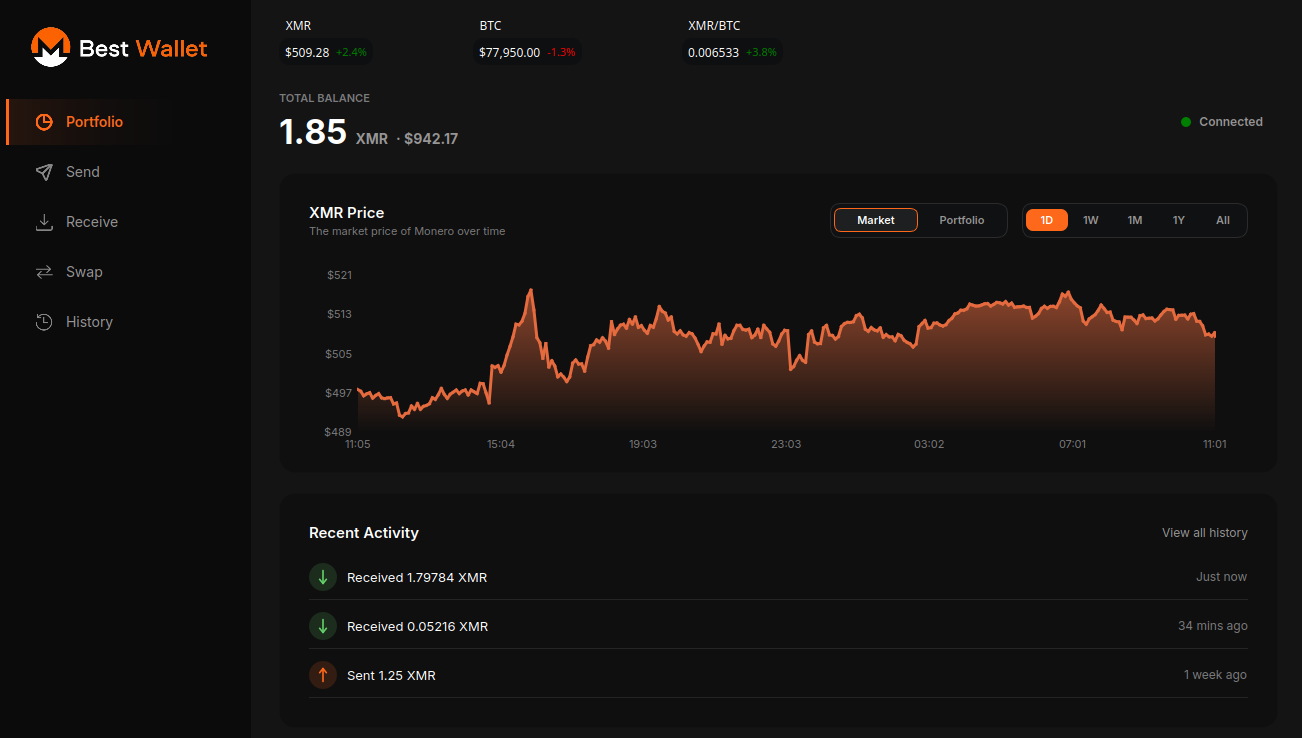
Best Wallet is built around one idea: a Monero wallet should be calm to use on an ordinary day and still have the precise tools ready when you need them. The desktop app for Windows, macOS and Linux opens to balances, history, send and receive. Nothing advanced is forced on you.
When you do want more, it is already there. Tor routing is built into the desktop app, so you can send wallet traffic over Tor without configuring a separate proxy. Coin control lets you pick exactly which outputs a payment spends. Multiple accounts keep, for example, business income and personal spending in separate balances inside one wallet file, and subaddresses give each payer a fresh receiving address so payments are not trivially linked to each other on your side.
In-app swaps, powered by ChangeNOW, let you move between XMR and other cryptocurrencies without leaving the wallet. That convenience comes with honest caveats: ChangeNOW is a third party, KYC is not required for every swap but may be requested for some transactions or regions, and refunds follow their policy. Best Wallet asks for a refund address on every swap so there is a defined route back if something fails.
There is also an Android app. It is a separate build for a phone, and we do not claim it mirrors every desktop tool. If a particular feature matters to you on Android, read the current release notes first. The code is public on GitHub, so you can read it or build it yourself.
Feather Wallet: compact and capable
Feather is a long-standing open-source desktop wallet that experienced Monero users often reach for. It is small, opens quickly by connecting to remote nodes, and includes Tor support, coin control and transaction-proof tools. If you like dense, traditional desktop software and only need to send and receive XMR, it is a very reasonable choice.
The trade-offs are about taste and platform rather than safety. The interface follows an older desktop style, which some people love and others find cramped, and there is no phone app. It also does not try to be a swap hub. Choose Best Wallet instead if you want built-in swaps and a newer layout alongside similar privacy controls.
Monero GUI: the reference desktop wallet
The Monero GUI is maintained by the Monero project. It offers a simple mode for newcomers and an advanced mode with more controls, and its standout ability is starting and managing a local node for you. A local node means your wallet does not ask anyone else’s server about your transactions, which is the most self-reliant way to use Monero.
That independence costs disk space and time: a full blockchain is large, and the first synchronisation can take many hours on modest hardware. The interface is also heavier for quick daily use. If you already run your own node, note that Best Wallet and Feather can connect to it too, so the node question does not have to decide the app.
Cake Wallet: phones and multiple coins
Cake Wallet is open source and holds Monero next to other cryptocurrencies. It has Android and iOS apps and also publishes desktop releases, so it is not a phone-only product. For anyone on an iPhone, it is the option in this list with a native XMR app.
Its breadth is also its cost if you only care about Monero: more currencies mean more menus and settings to read past. Like Best Wallet’s swaps, Cake’s in-app exchanges use outside partners with their own terms and possible identity checks.
Habits that matter more than the app
Download only from a project’s official site or repository, and verify the release when the project publishes checksums or signatures. Write your recovery phrase on paper or metal and keep it offline; no legitimate support person will ever ask for it. Send a small test amount before a large transfer, and double-check any address you paste, because clipboard malware exists.
Be realistic about privacy. A remote node operator can see your IP address unless you use your own node or route traffic through Tor, which reduces that exposure but is not a guarantee, and exchange accounts tie identity to deposits and withdrawals. No wallet can fix habits that leak information elsewhere, so treat any claim of a single safest or most private wallet with suspicion, including from us.
Feature table
| Feature | Best Wallet | Feather Wallet | Monero GUI | Cake Wallet |
|---|---|---|---|---|
| Open-source code | Yes | Yes | Yes | Yes |
| Desktop app | Win / macOS / Linux | Win / macOS / Linux | Win / macOS / Linux | Desktop releases |
| Phone app | Android | No | No | Android and iOS |
| Tor routing (Desktop) | Built in | Built in | Proxy setting; see docs | Check current docs |
| In-app swaps | ChangeNOW | Not a focus | No | Third-party partners |
| Coin control | Desktop | Yes | Advanced mode | Check current docs |
| Local full node from the app | Connect to your node | Connect to your node | Runs one itself | Connect to your node |
| Other cryptocurrencies | XMR wallet | XMR only | XMR only | Several coins |
Questions people ask
Is Best Wallet free?
Yes. The desktop and Android apps are free to download from this site or the official GitHub releases. Network fees apply to transactions, and swap providers set their own rates.
Can I move my wallet from Feather or Monero GUI to Best Wallet?
Often, but check first: the new app must support your exact seed format and version. If it does, restore in the new app and let it rescan, using a restore height near your wallet’s creation to shorten the scan. Keep the original app until you have confirmed the balance.
Do I have to use the swap feature?
No. Swaps are optional. You can use Best Wallet purely to send and receive XMR and never touch a third-party provider.
Which wallet works on an iPhone?
Among these four, Cake Wallet offers an iOS app. Best Wallet currently offers desktop builds and an Android app.
Does a hardware wallet work with these apps?
Support varies by project and changes over time. Check the specific wallet’s documentation for current hardware device support rather than relying on summaries, including this one.
The short verdict
For most people on a computer, start with Best Wallet: simple daily use, with Tor, swaps, coin control, accounts and subaddresses ready when you need them. Pick Feather for a minimal desktop tool, Monero GUI to run your own node from the wallet, or Cake Wallet for iPhone and multi-coin use.